Congrats! Your Appointment Has Been Scheduled!
I've sent you a confirmation of your call time and date via email & text.
Please make sure you put this in your calendar right now.
Please make sure you put this in your calendar right now.
⚠️WARNING: Your call is NOT yet confirmed
Due to the volume of partnership applications, we automatically
cancel calls that are not confirmed within 24 hours.
cancel calls that are not confirmed within 24 hours.
Step 1: Check your email

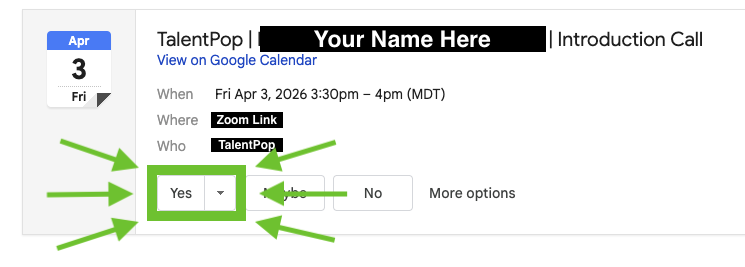
Step 2: Add to Calendar. "Yes" or "Yes, I'm Attending"
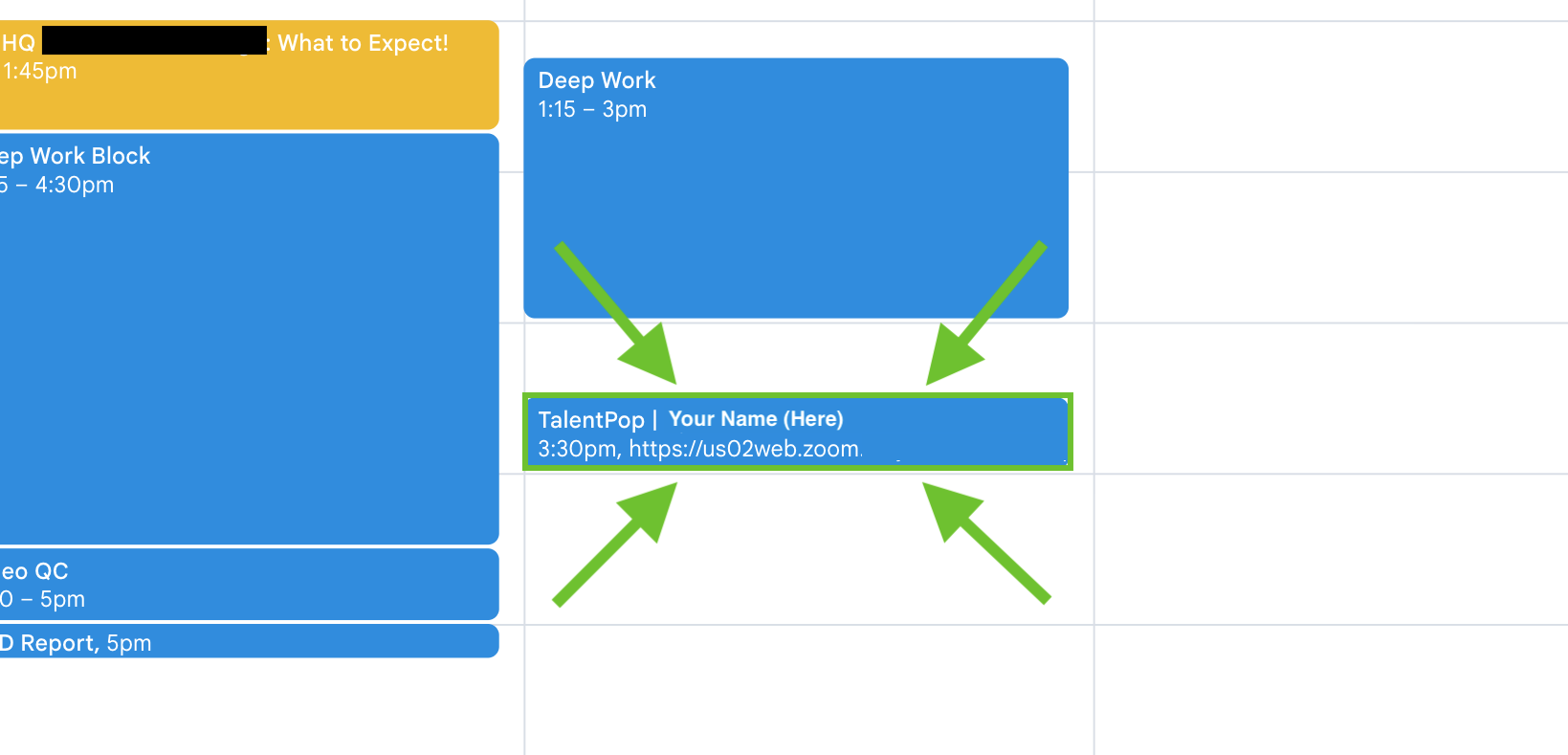
Step 3: Check your calendar and make sure the appointment appears
IMPORTANT: The invitation from "Unknown sender" email may give the option to tap "I know the sender" instead of "Add to calendar." If this happens, tap the "I know the sender" button.

Frequently Asked Questions👇
How much does an Executive Assistant actually cost?
What if my Executive Assistant isn't a good fit?
What tasks can an Executive Assistant actually handle?
How long does it take to get an Executive Assistant?
How do I know they'll understand my business?
What's the difference between TalentPop and other EA services?